You colour coded it in January, you have not looked at it properly since February, and three of the things on today were moved there from last Thursday. Google Calendar for ADHD is a setup built to be glanced at rather than maintained, which means most of the work is deciding what never goes in it.
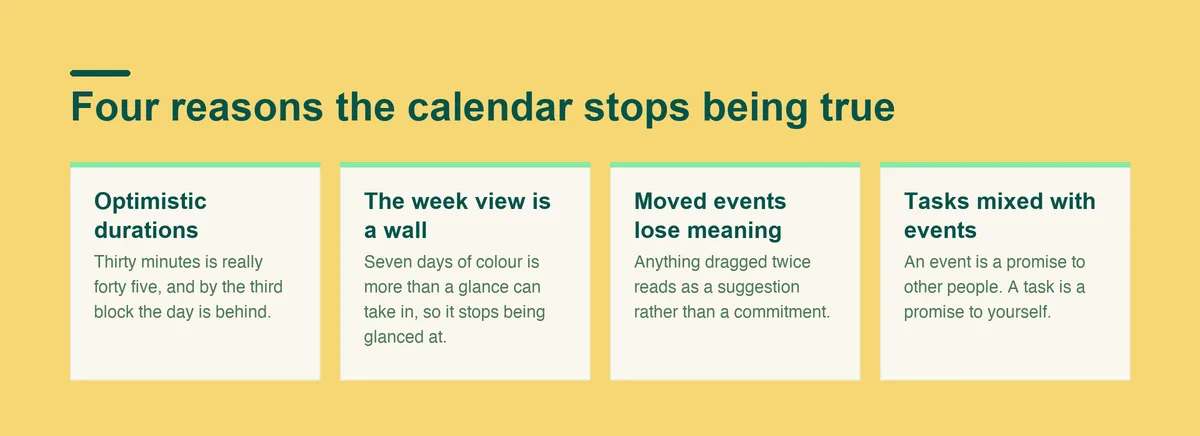
A calendar is a promise about the future made by someone with different energy than the person who has to keep it. By Thursday that gap has usually opened up.
Poor time management and planning are named as adult ADHD symptoms, which matters here: the calendar is being asked to carry exactly the function that is hardest, and then blamed when it does not hold.
ADHD behaviors also show up across several settings at once, so the calendar that fails is usually failing at work and at home simultaneously. That is a signal about the design of the system rather than about your commitment to it.
A calendar that holds has less in it than you expect. Fixed commitments, the travel around them, and two or three protected blocks. Nothing else.
Everything else, meaning the long list of things you intend to do, lives on a list somewhere. The moment the calendar becomes a to-do list with times attached, it starts lying to you, and a calendar you do not believe is one you stop opening.
The other quality is that today takes about two seconds to read: what is fixed, what is protected, and how much genuinely free time is left. If it takes longer than that, the day is too full.
Two seconds is a much lower bar than the colour coded systems people photograph and share. A calendar that survives a bad week tends to look sparse, because everything optional has been moved off it deliberately.
The practical test is whether you can answer one question without scrolling: what is the next thing I actually have to be somewhere for. If the answer takes hunting, the display is the problem rather than the schedule.
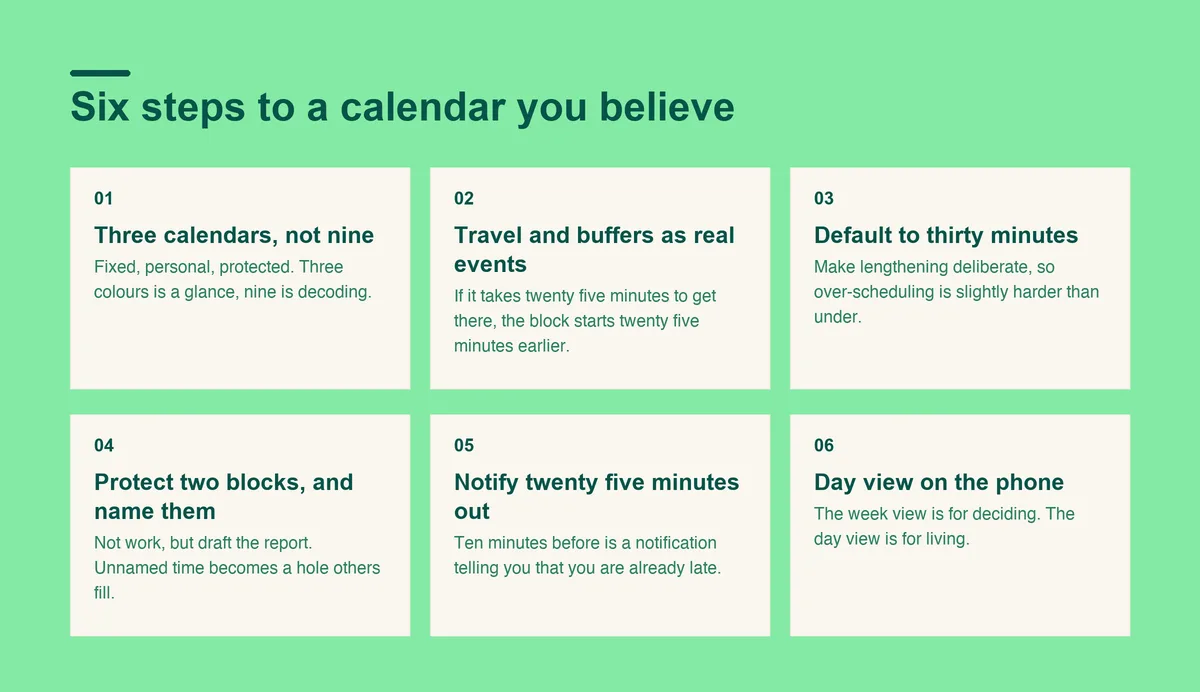
Set it up in this order. Each step takes minutes, and the whole thing is reversible.
One for fixed commitments, one for personal, one for protected work blocks. Three colours is a glance. Nine is a decoding exercise you will stop doing.
You can toggle the personal one off during work hours, which does more for focus than any colour scheme.
If the appointment is at three and it takes twenty five minutes to get there, the calendar should show a block from 2:35. The commute is not free time, and treating it as free is where most late arrivals come from.
Add ten minutes after anything that regularly overruns. An adhd calendar setup that ignores transitions is optimistic by about an hour a day.
Buffers are the single change that fixes the most lateness. Most late arrivals are not a planning failure, they are a calendar that quietly claimed the journey was free.
Set the default duration to thirty minutes, and make yourself lengthen anything longer deliberately. Defaults do most of the work in any system, and this one makes over-scheduling slightly harder than under-scheduling.
Not "work" but "draft the report". A named block is a decision already made, and an unnamed one becomes a hole that other people fill.
Two is enough. Protected time you regularly ignore trains you to ignore the calendar itself, which costs more than the blocks were worth.
If a protected block gets moved twice, delete it rather than moving it a third time. A block that survives only on paper is doing the opposite of its job.
Ten minutes before an event is a notification that tells you that you are already late. Set the default to twenty five or thirty minutes, which is enough time to stop what you are doing and move.
Two notifications beat one for anything you genuinely cannot miss: an early one to start wrapping up, and a second at the point of leaving. The first is information and the second is the deadline.
The week view is for deciding. The day view is for living. Google Calendar for ADHD works best when the thing you check ten times a day shows a single day, sized to take in with one look.
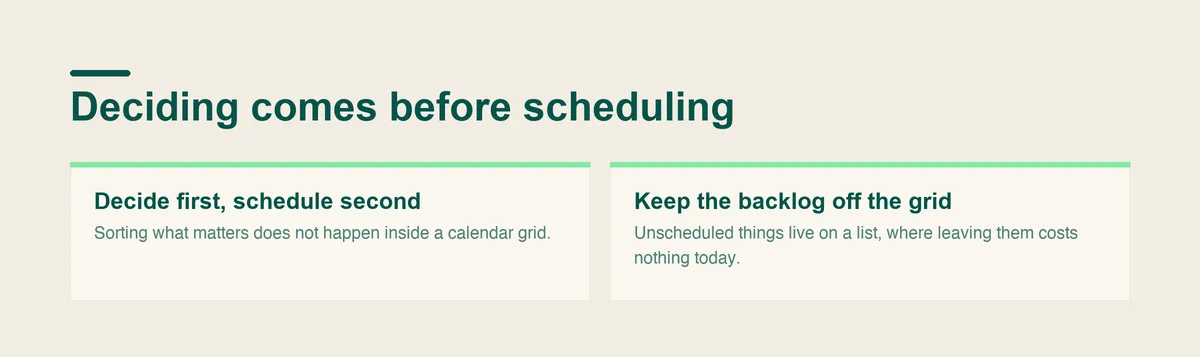
Every step above assumes the things going into the calendar are already decided. Most of the time they are not, and that is the actual bottleneck.
A calendar is a place for commitments that already have a shape. It is a bad place to work out what those commitments should be, because the grid asks for a time before you have decided on a task. That mismatch is why calendar systems collapse into a wall of moved events.
Doot handles the first half: you dump everything in plain English and get back separate tasks with dates, so what reaches the calendar is already decided. Doot suggests rather than decides, so nothing lands in your day unless you put it there.
Google Calendar stays the place for anything with a fixed time and other people attached. A list handles everything else, which is most of it.
If the week is genuinely overcommitted, a better calendar just documents the problem in more detail. Nothing in a setup fixes a schedule with no slack in it.
ADHD symptoms interfere with daily functioning across work, home and relationships, and a calendar sits downstream of all of that. Some adults also work with a coach who teaches executive function skills directly, which addresses the planning rather than the display of it.
Seeking a diagnosis is worth doing at any age, and the practical setup above is worth keeping either way.
Open Doot, decide what actually matters this week, and put only that into the grid.
Try it free on the webarrow_forward