
Motion alternatives, and who each one suits

A Motion alternative is usually wanted for one of three reasons: the price, the feeling of being managed by your own calendar, or the discovery that automatic scheduling needs a task list you do not reliably have. The right replacement depends entirely on which of those sent you looking.

Motion alternative

Why people go looking for a Motion alternative

Motion does something genuinely hard: it takes tasks with deadlines and durations and builds a schedule, then rebuilds it when the day changes. The complaints are rarely that it fails at that.

The distinction matters for how you choose a replacement. When a tool is bad, you want a better one. When a tool is good but wrong for you, you want a different kind of tool, and most lists of alternatives quietly assume the first case.

  • The price for one person. Motion lists Pro AI at $19 /seat /mo and Business AI at $29 /seat /mo. That is priced for people whose hours are billable, and it reads differently to someone managing their own week.
  • The schedule argues back. Automatic rescheduling means a day that goes wrong gets reorganised for you, and being told what to do next by a tool you are already behind with can land badly.
  • It needs good inputs. Durations and deadlines have to be roughly right, and estimating both is exactly the skill many people came looking for help with.
  • It assumes work looks like projects. The model fits deadline-heavy professional work better than a week made of errands, admin and half-formed intentions.
  • Too much surface. Projects, docs and dashboards are useful to a team and are noise to one person with a list.
  • The recovery problem. After a week away, the schedule has to be rebuilt from stale inputs, and the effort of correcting it is what ends a lot of subscriptions.

If the reason you are searching for motion app alternatives is the second or third of these, be careful: several of the obvious replacements automate in the same way and will produce the same feeling.

Two of those complaints sound alike and are not. Paying too much is a pricing problem with an easy test, since a cheaper tool either covers your week or it does not. Feeling managed by your own schedule is a design problem, and swapping one auto-scheduler for another will reproduce it exactly.
Who should stay with Motion

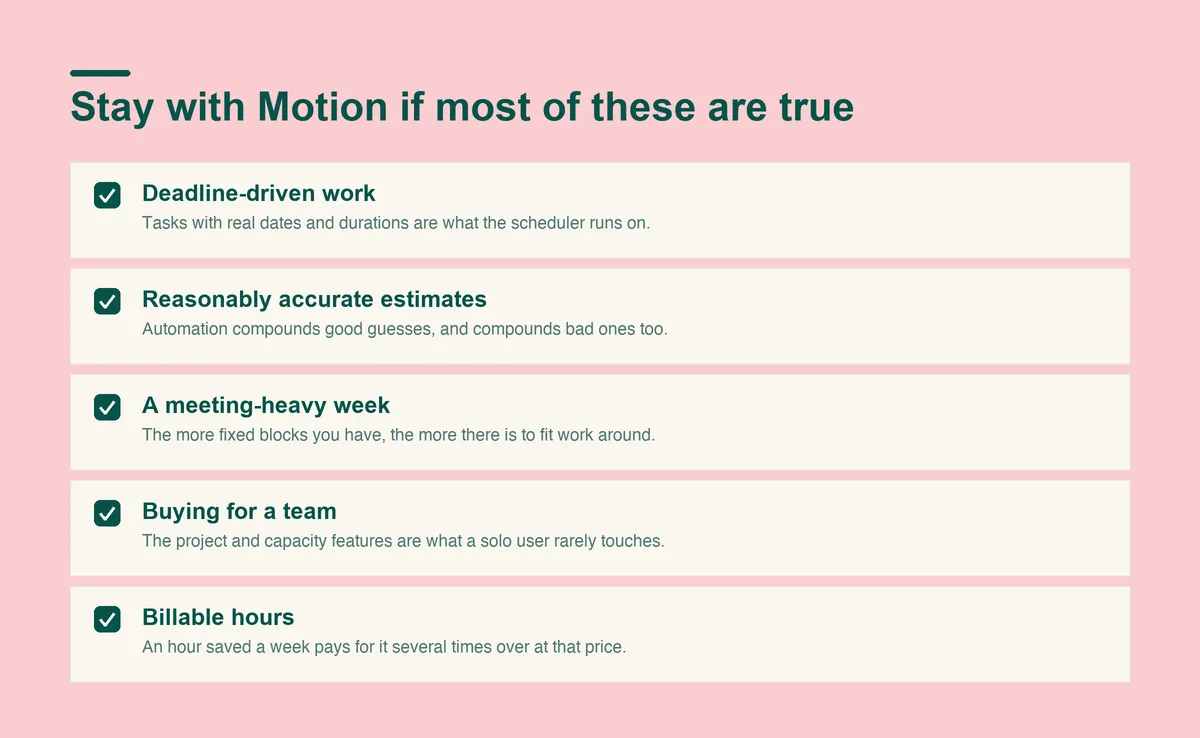
Five conditions for staying with Motion: deadline-driven work, accurate estimates, a meeting-heavy week, team use, and billable hours

Switching costs you a working system, so it is worth being honest about who should not.

  • Your work is genuinely deadline-driven. Tasks with real dates and real durations are what the scheduler runs on, and with those it does something no list can.
  • Your estimates are reasonably accurate. If your guesses are close, automatic scheduling compounds that. If they are not, it compounds that too.
  • Your week is meeting-heavy. The more fixed blocks you have, the more value there is in something fitting work around them automatically.
  • You are buying for a team. The project and capacity features are the part a solo user pays for and rarely uses.
  • Your hours are billable. At $19 a seat, an hour saved a week pays for it several times over, which is a different calculation to a personal subscription.

If three or more of those describe you, the motion daily planner app is probably doing more than any of the alternatives below would, and the money is the only real objection.
The alternatives worth considering

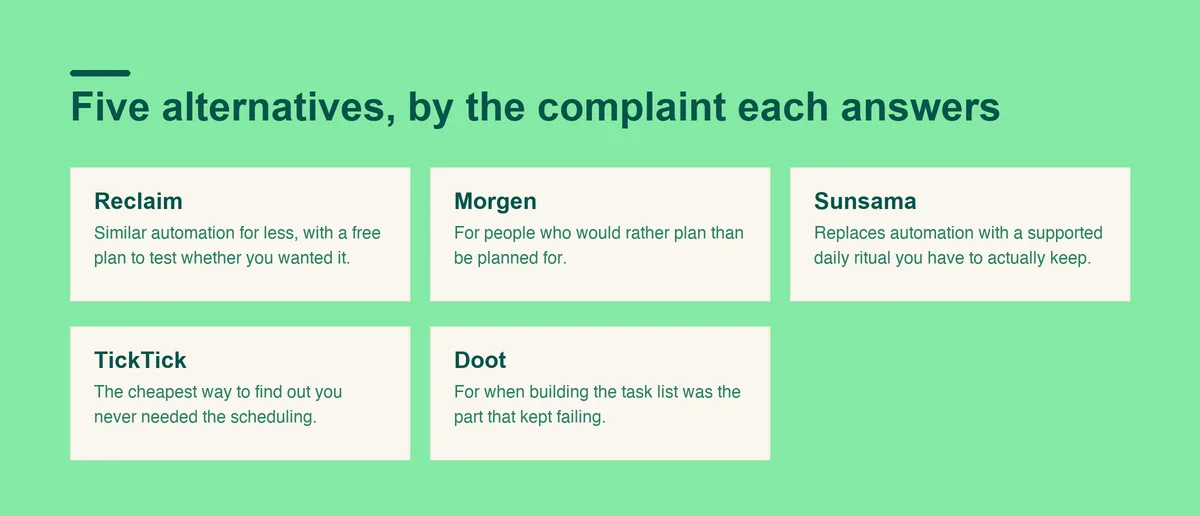
Five Motion alternatives and the complaint each one answers: Reclaim on price, Morgen on control, Sunsama on ritual, TickTick on simplicity, and Doot on capture

Five options, grouped by which of the three complaints they answer.

One more honest point for anyone on the fence. A tool you have already configured, whose quirks you know, is worth more than its feature list suggests. Switching resets that, and the first three weeks on anything new are worse than the last three weeks on the thing you are leaving.

Reclaim, if you want the automation for less

  • What it does. Finds and defends time for tasks, habits and breaks around the meetings already in your calendar.
  • What it costs. Reclaim has a free plan called Lite, with Starter at $10 per seat/month and Business at $15 per seat/month.
  • Why people switch to it. It automates in a lighter way, and a free tier means you can test whether automation is really what you wanted.
  • The catch. It is calendar-first, so it assumes your calendar already reflects your work.

Reclaim is the closest thing to a like-for-like swap on this list, and the free tier makes it the cheapest test. If the automation was the part you liked and the invoice was the part you did not, start here and stop reading.

Morgen, if you want to plan rather than be planned for

  • What it does. Brings several calendars and task sources into one view and helps you time block deliberately.
  • What it costs. Morgen lists Pro at $30 per month, billed monthly, or $15 per month, billed yearly.
  • Why people switch to it. It removes the feeling of arguing with an algorithm while keeping one clean surface.
  • The catch. The planning work stays yours, which is the point and also the cost.

Morgen suits the person whose objection to Motion was philosophical rather than financial. You keep every decision, and what you buy is one clean surface across calendars that would otherwise live in three different accounts.

Sunsama, if the missing piece is a daily habit

  • What it does. Walks you through planning each day and pushes you toward a realistic amount of work.
  • What it costs. Sunsama is listed at $22 per month, billed monthly.
  • Why people switch to it. It replaces automation with a supported ritual, which suits people who want to stay in charge.
  • The catch. At a similar price to Motion, you are paying for structure rather than automation, and the ritual has to actually happen.

Sunsama is the one to consider if you left Motion because you wanted to feel in control of your day rather than briefed on it. The daily session runs about ten minutes, and everything the product is good at depends on that session actually happening.

TickTick, if you suspect you never needed the automation

  • What it does. A capable task manager with natural language dates, recurring tasks and a calendar view.
  • What it costs. TickTick lists a free plan at US$0 and Premium at US$49.99 /Year.
  • Why people switch to it. It is the cheapest way to find out whether a good list and reminders were enough all along.
  • The catch. Nothing schedules anything for you, so a heavy week still has to be arranged by hand.

TickTick is the sanity check in this list. A lot of people arrive at automated scheduling because their list was a mess, not because their calendar was, and a well-run list with reminders resolves more of that than the category admits.

Doot, if the task list itself is the problem

  • What it does. Takes a plain English brain dump, typed or spoken, and returns separate tasks with dates, then shows one next action at a time.
  • What it costs. Doot costs USD 8.99 a month, or USD 49.99 once for lifetime access, and the web app has a free plan.
  • Why people switch to it. Automatic scheduling needs a complete list, and if building that list is where you stall, the scheduler was solving the wrong half.
  • The catch. It is not a calendar replacement and it does not auto-schedule meetings.

Doot is deliberately narrow, and worth understanding as one link in a chain rather than a Motion replacement. It works on the step before scheduling: turning what you are carrying into named tasks with dates. Whatever arranges those afterwards, a calendar or a scheduler, is your choice.

The first four assume you can hand over a reasonably accurate list of what you owe. That assumption is the hidden requirement in this whole category, and it is worth checking against your own week before paying for anything.

A last word on what switching actually involves. Moving tools costs a week of friction whatever the destination, so the useful question is not which alternative is best in general but which one answers the specific complaint that sent you looking. Someone leaving on price and someone leaving because the scheduling felt overbearing should end up in different places, and a list that recommends one winner to both is not much use.

Side by side, including price

ToolBest forWhat it costs
MotionAutomatic scheduling of deadline-heavy workPro AI $19 /seat /mo, Business AI $29 /seat /mo
ReclaimLighter automation around meetingsFree Lite plan, Starter $10 per seat/month
MorgenPlanning by hand across several calendars$30 monthly, or $15 a month billed yearly
SunsamaA supported daily planning ritual$22 per month, billed monthly
TickTickA strong list without schedulingFree, or Premium US$49.99 /Year
DootTurning an unsorted pile into a day$8.99 a month, or $49.99 once, free web plan

Prices as of September 2026, quoted from each vendor's own pricing page. Motion's page states its per seat monthly figure without naming the billing basis, so it appears here exactly as printed. Vendors change prices often, so check before committing to a year.

The units differ too, which the table flattens. Motion, Reclaim and Morgen all price per seat, so a second person doubles the bill, while TickTick and Doot price per person outright and Doot's one-off option removes the renewal entirely. For a single user that difference compounds: two years of Motion at the listed rate is several times a lifetime purchase of a cheaper tool, which is worth weighing against how much the automation is actually saving you each week.

Two comparisons are worth drawing out. On price, the gap between Motion and a free Reclaim plan is the whole subscription, so anyone switching purely on cost should test the free tier before paying anyone. On approach, Motion and Reclaim decide for you, Morgen and Sunsama help you decide, and Doot works on what you are deciding about.

Poor time management, planning and organization are recognised adult ADHD symptoms, which is worth naming because this category sells automation as the answer to all three. Automation handles the arranging. The deciding, and the knowing what you are carrying, sit upstream of every tool on this page.

A note on trials, since all six offer one. Test any of these against an ordinary bad day rather than a good one: an interruption, something you did not finish, and a plan that stopped being true by eleven. The tools that survive that test are the ones that help you recover, and the ones that fail it simply record how far behind you got. That is a more useful fortnight than comparing feature lists, and it costs nothing but attention.

Motion alternatives questions, answered

Is Motion worth it for personal use? add
Motion is worth it for personal use only if your personal week looks like professional work. Motion's scheduling earns its price against tasks with real deadlines and durations, and a week made mostly of errands and admin gives it much less to work with at the same cost.
How long should I give a new tool before deciding? add
Two weeks, including at least one week that goes badly. The first few days on anything new feel productive because the setup itself is engaging, and that wears off before you learn whether the tool holds under pressure.
What is the best Motion alternative? add
Reclaim if you want similar automation for less, Morgen or Sunsama if you would rather plan deliberately, TickTick if a strong list is enough, and Doot if your problem is turning a messy head into a usable list in the first place.
Is there a free Motion alternative? add
Reclaim has a free plan called Lite, TickTick has a free tier, and Doot has a free plan on the web. None of them replicate Motion's full automatic scheduling on a free tier, but they are enough to test which approach suits you.
Why is Motion so expensive? add
Motion lists Pro AI at $19 /seat /mo and Business AI at $29 /seat /mo, priced for professional and team use where saved hours are billable. For a single person managing a personal week, that maths is different, which is the most common reason people go looking for alternatives.
Do I need automatic scheduling at all? add
Only if your work is deadline-heavy and your time estimates are reasonably accurate. If either is untrue, automation produces a confident schedule built on guesses, and correcting it costs more than planning by hand.
How do I move my tasks out of Motion? add
Export what you can, then rebuild only what you actually used. Most people discover that a fraction of the projects and properties they set up were ever touched, and carrying all of it into a new tool imports the clutter along with the tasks.
What if none of these stick? add
The issue is probably upstream of scheduling. Try solving capture first: get everything out of your head into one place, and see how much of the scheduling problem survives that. A surprising amount of what looks like a scheduling failure turns out to be an inventory failure, where the real problem was never knowing what you were carrying in the first place.

Sources

Switch for the right reason, not the loudest one.

If what broke was the list rather than the schedule, open Doot, dump the week in plain English, and see what is actually on it before paying anyone to arrange it.

Try it free on the webarrow_forward