
TickTick is one of the most complete to do apps you can buy: task lists, a habit tracker, a built in Pomodoro timer, calendar view, an Eisenhower matrix, and more toggles hiding in settings than most people ever find. If you're looking for a TickTick alternative, it's probably not because TickTick is missing a feature. It's because using it started to feel like a second job.
That's a specific problem, and it deserves a specific answer. Doot is the alternative for people whose brain doesn't need more places to organize things, it needs the organizing done for it. No habit tracker to babysit, no calendar view to configure, no list of settings to get right before the app finally works the way you want. You dump what's in your head in plain English, typed or spoken, and Doot hands you back an organized task list.
Credit where it's due. TickTick earns its reputation:
If you want one app to replace your task list, your habit tracker, and your calendar, TickTick vs almost anything else at that price is a fair fight it usually wins. For a lot of people, it's simply the right tool.
The same feature list that makes TickTick a strong all rounder is what makes it hard to live inside when your executive function is already stretched thin.
Every task asks for a decision before it asks for action: which list does this belong to, which tag, which priority flag, should it get a Pomodoro session. None of those decisions are hard on their own. Add them up across forty tasks in a bad week and they're the reason the app gets abandoned by Thursday.
The interface reflects the feature set: a sidebar, a calendar strip, tag filters, smart lists, habit widgets. Nothing about it is badly designed, there's just a lot of it on screen at once, and "a lot on screen" is exactly what an overloaded brain does not need.
TickTick is also built generically, for students, project managers, and productivity hobbyists alike. It's not written around ADHD attention or overwhelm specifically, so nothing in the app protects you from the setup tax: you get the most out of TickTick only after you've configured lists, tags, and views, and that configuration step is precisely the kind of task ADHD brains stall out on before they ever get to the tasks themselves.
None of this is a knock on TickTick's build quality. It's a mismatch between a maximalist tool and a brain that works better with less deciding and more doing.
TickTick vs Doot isn't an upgrade in either direction, it's a real trade off, and being honest about it matters more than winning the comparison. Stay with TickTick if:
Switch to Doot if that list reads like homework rather than a feature you'd use.
TickTick's free plan is already solid, so "free" isn't really where Doot competes. The difference isn't price, it's what happens the moment you open the app. A free plan with more features to configure doesn't solve overwhelm, it just delays the bill. Doot charges $8.99 a month or $49.99 once for lifetime access, for one job done well: turning your mess into a task list without asking you to build the system first.
If your search for a "ticktick free alternative" is really a search for "an app that doesn't need setup," that's a different problem than price, and it's the one Doot was built to solve.
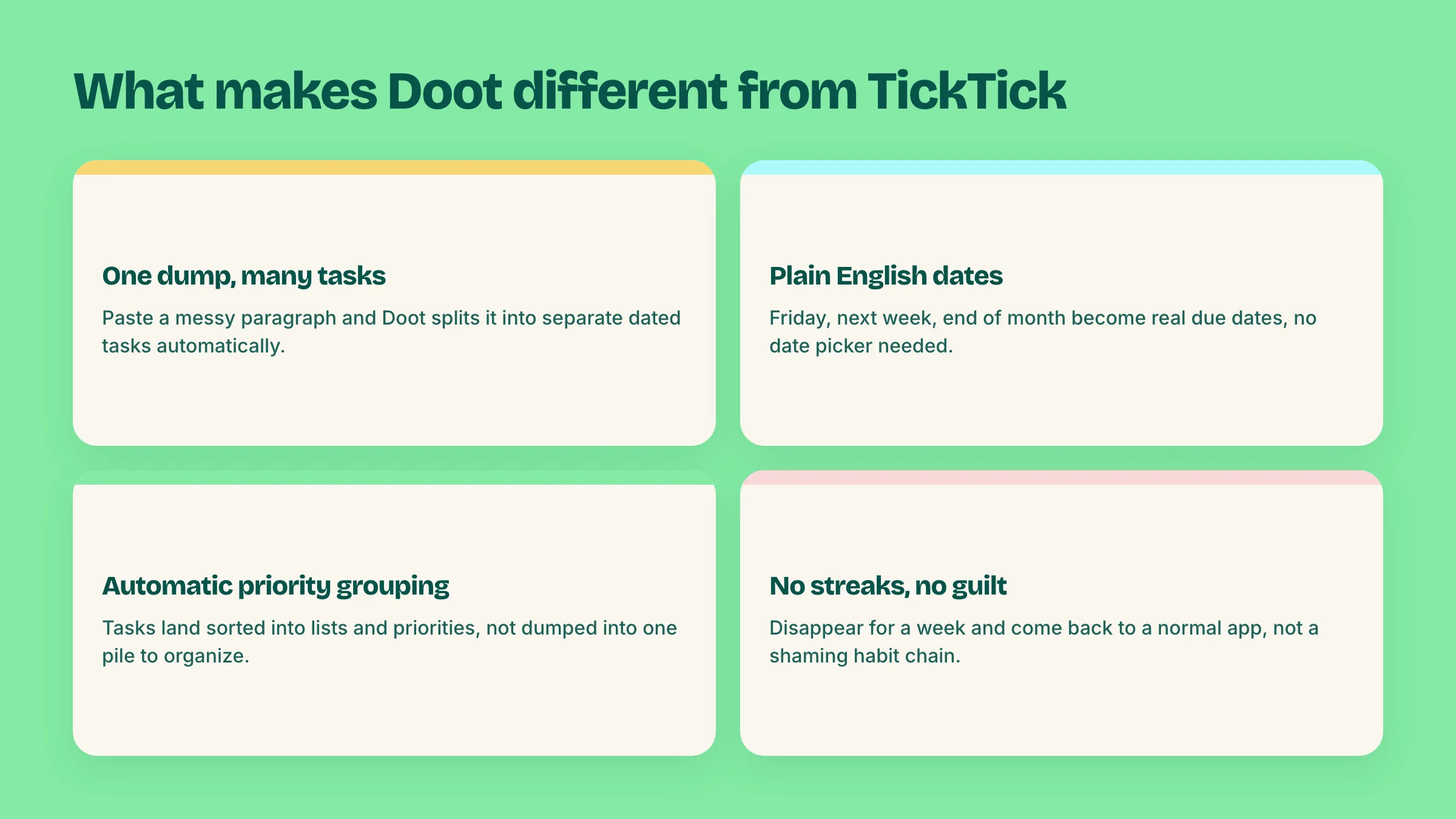
Most apps like TickTick compete on the same axis TickTick already wins: more views, more integrations, more customization. Doot competes on the opposite axis.
That's the whole shift: TickTick gives you more tools to organize your life. Doot does the organizing for you, so the tool gets out of the way.
If Todoist is also on your shortlist, we've written an honest breakdown of Todoist for ADHD: where it genuinely works, and where its project and label system starts to punish a messy week.
Try Doot and see what a task list looks like when you stop building the system yourself.
Try it free on the webarrow_forward